One of the key features that you can use while playing Warzone 2 is the ping system, which allows players to mark enemies and points of interest. However, it’s relatively difficult to see the marked location when the ping color is set to default, i.e., white.
Fortunately, the ping color can be changed in the game, thanks to the wide range of customizations that Warzone 2 offers. With that said, here’s a comprehensive Warzone 2 guide to changing the ping color per your taste. So without any further ado, let’s dive into the details.
Changing Ping Color in Warzone 2
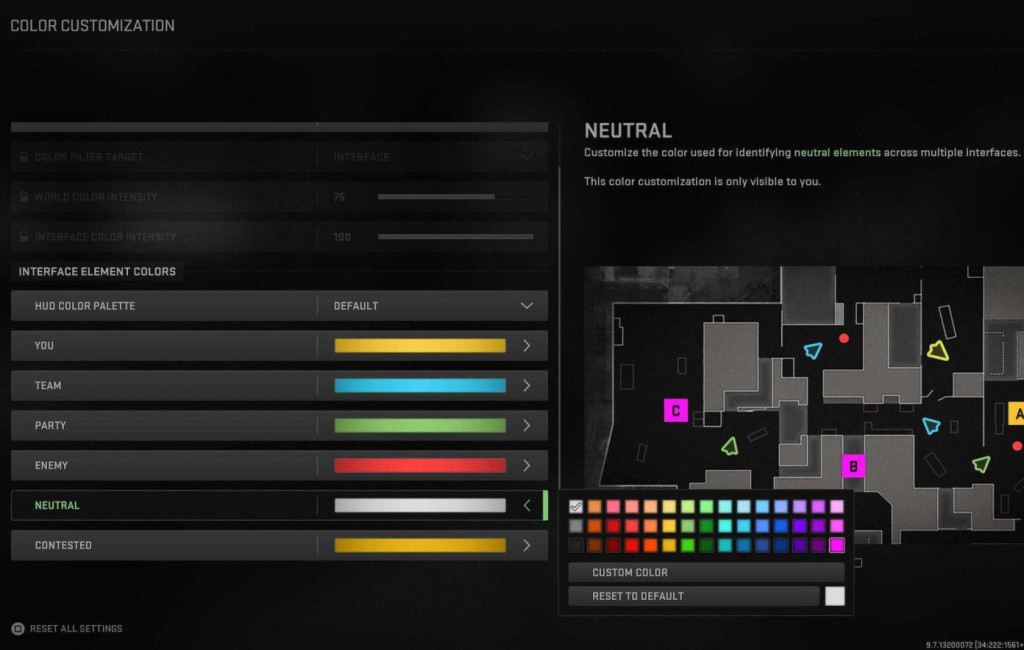
Changing the color of your Ping marker in Warzone 2 is relatively easy and can be done in a few simple steps. Here are the instructions that you need to follow:
- Launch Warzone 2 and press Start to open the menu.
- Navigate to Settings to access the game’s customization menu.
- Scroll down to find the Interface tab.
- Head to the Color Customization tab.
- Scroll down to ‘Neutral.’
- Replace the ping color with a brighter one, such as red, green, or blue.
Apart from the presets, Warzone 2 also allows you to set a custom color for every marker, such as team, party, enemy, and more. Lastly, make sure that the color you chose should stand out in the Warzone 2 matches to spot the ping markers of your squad quickly.
How To Ping Enemies & POIs in Warzone 2
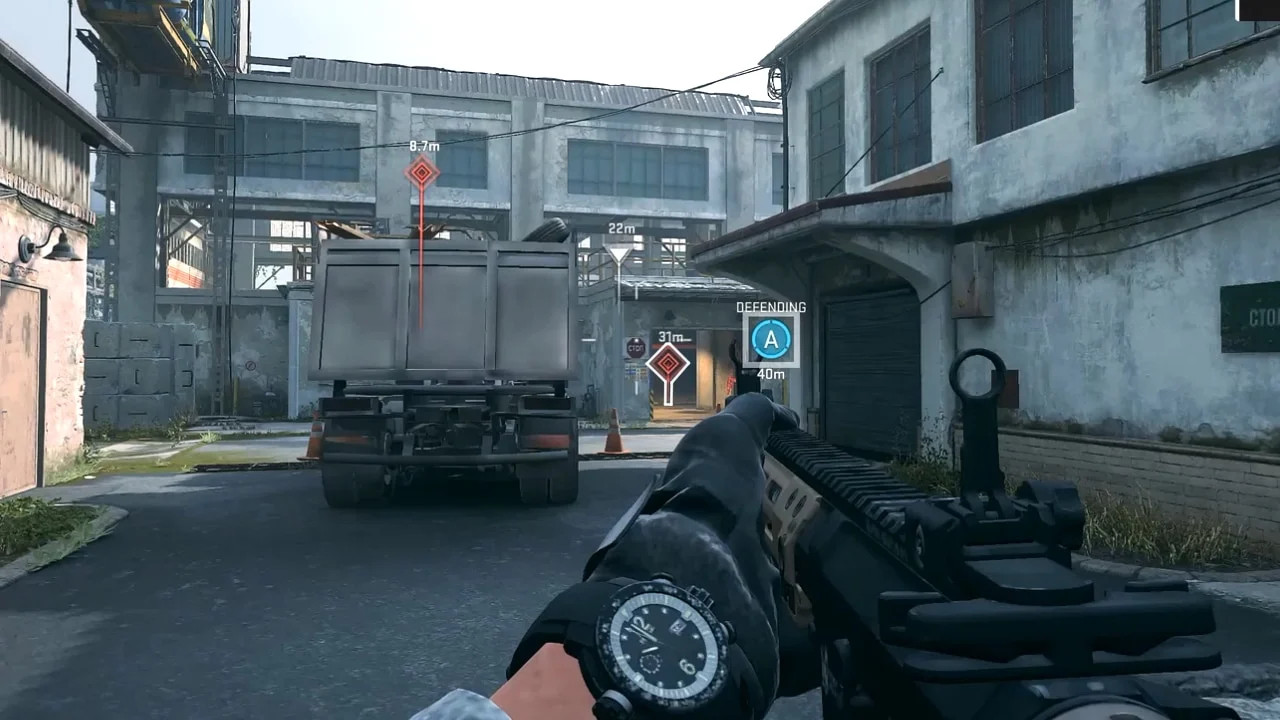
The default key to use the ping mechanic in Warzone 2.0 is ALT for PC and the Up button on the D-pad for Xbox and PlayStation controllers. PC players can also hold down the mouse wheel button when looking at something to mark the location quickly.
As is tradition, the game allows you to change the keybinds under the controls section. So feel free to customize the settings and rebind the keys if you’re having difficulty while using any features in Warzone 2.
So that’s everything you need to know about changing the ping color in Call of Duty: Warzone 2.