Error codes are inevitable in online games, and Call of Duty: Warzone 2 is no exception. Following the release of the most recent update, many COD players are reporting the infamous “An error has occurred while launching the game,” with those playing on PC among the more vulnerable users.
As a result, users are flocking to the internet to find a potential fix for Warzone 2 “An error has occurred while launching the game” issue. While the developers are actively working to patch such issues, we’ve got you covered with a bunch of troubleshooting methods.
Warzone 2 – “An error has occurred while launching the game” Code Fix
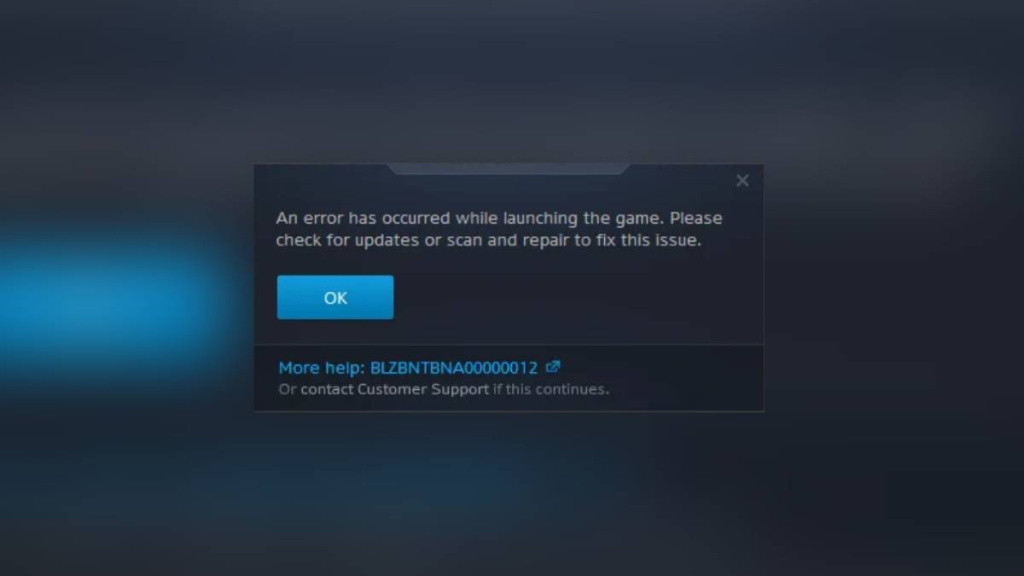
If you ever run into such an error, there’s a good chance that the Warzone 2 servers are experiencing technical problems. Therefore, you should check the server status to see if all the servers are operational. If the servers are fully functional, then you follow these troubleshooting methods to fix this error code.
Run Warzone 2 as Administrator
One of the effective ways to fix the Warzone 2 “An error has occurred while launching the game” code is by running the game as an Administrator. This option provides all the privileges that the program requires to run properly. Here are the steps to run the game as an administrator:
- Right-click on the Warzone 2 icon.
- Select Properties, and navigate to the compatibility tab.
- Click on the checkbox that says, “Run this program as an administrator.”
- Tap on the “Apply” button, and close the window.
Restart your router
Network-related errors portray an inferior state of server connectivity that occurs majorly from the client side. If you face the “An error has occurred while launching the game” code and the developers have not reported any issue, then the best possible fix is rebooting your router.
The solution is relatively self-explanatory and fixes other common errors as well.
Verify Game Files on Steam (PC)
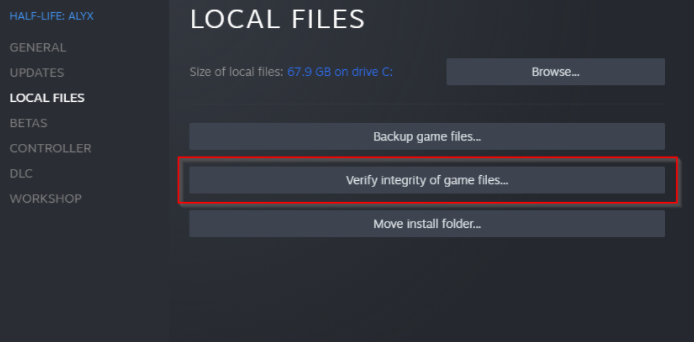
Another way to fix this error is by reinstalling the game to repair the corrupted files. If you have installed the game through the Steam launcher, then we advise verifying the game files via these steps:
- Restart your computer and launch Steam
- Next, click the gear icon from the game’s Library page.
- From the drop-down menu, select Properties.
- Select the Local Files tab.
- Finally, click the “Verify integrity of game files” button.
Now, the Steam client should start verifying the game files and repair the corrupted ones to fix the error.
Contact Activision Support
If the above fixes don’t seem to work for you, reaching out to the Activision support team is your last hope. On top of that, the website also provides some helpful tips and links to help you try to navigate problems. So also make sure to browse the list of articles on Activision’s blog for your other issues.
So that’s everything you need to know about fixing “An error has occurred while launching the game” in Call of Duty: Warzone 2.