
Call of Duty Warzone 2 Season 4 has brought a ton of updates to DMZ mode and one of the most exciting things added is the new Forward Operating Base (FOB). It is a centralized hub for all communications and Operator upgrades within DMZ mode that will help you become more powerful in the mode and also earn rewards by completing objectives.
Unlike Faction Missions in previous DMZ Seasons, the FOB upgrade objectives are passive and do not require players to equip them to make progress. Here is everything you need to know about Forward Operating Base (FOB) in Warzone 2.
Warzone 2 Forward Operating Base (FOB) Upgrades Explained
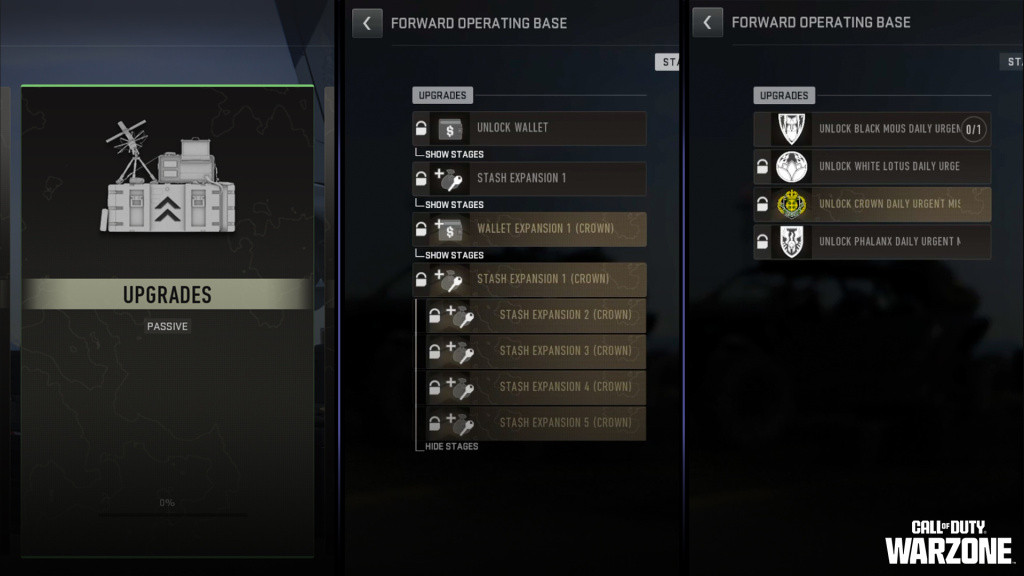
In Forward Operating Base (FOB), you will have to complete different objectives to get the following updates divided into four categories.
Weapons Locker
- Insured Weapon Slots
- Insured Weapon cooldown time
- Contraband Weapon stash size increases
Stash
- Wallet Unlock
- Wallet capacity
- Key and Contraband Stash Size increases
Bounty Board
- Personal Exfil
- Barter recipes
- Buy Station discounts
Communications Station
-
Urgent Missions access: These will be limited-time missions that you can unlock in FOB to get rewards. They will rotate regularly, so make sure to complete them on time.
In addition to this, there will be a passive objective available in FOB as well that you can complete to get permanent upgrades for DMZ.
There are no other details available for Urgent Missions and Passive Objectives, but we will update this page once we have more information about them.