
Call of Duty Modern Warfare 2 beta has arrived, and a fraction of the COD community has had the chance to try the much-awaited sequel in the FPS series.
While the first week of Call of Duty Modern Warfare 2 beta was exclusive to PlayStation platforms, the upcoming second week will be open to PC and Xbox players as well.
If you’re planning to jump into the upcoming beta, you might want to bring in a friend or two. Here’s our guide that explains how to add and invite a friend in Call of Duty Modern Warfare 2.
How to add friends in Call of Duty Modern Warfare 2
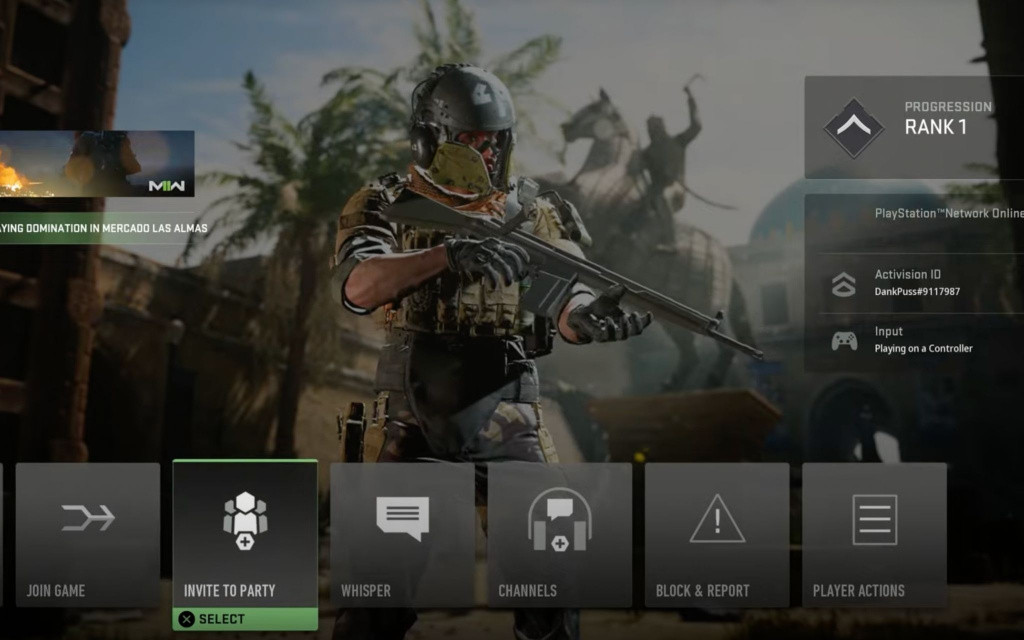
To add and invite friends in MW2, follow the steps listed below.
In the options, go to the social section and hover over to the add friends section. You will need your friend’s Activision ID to add them. Once you have gathered their Activision ID, enter it and send the request.
How to invite and play with friends in Call of Duty Modern Warfare 2
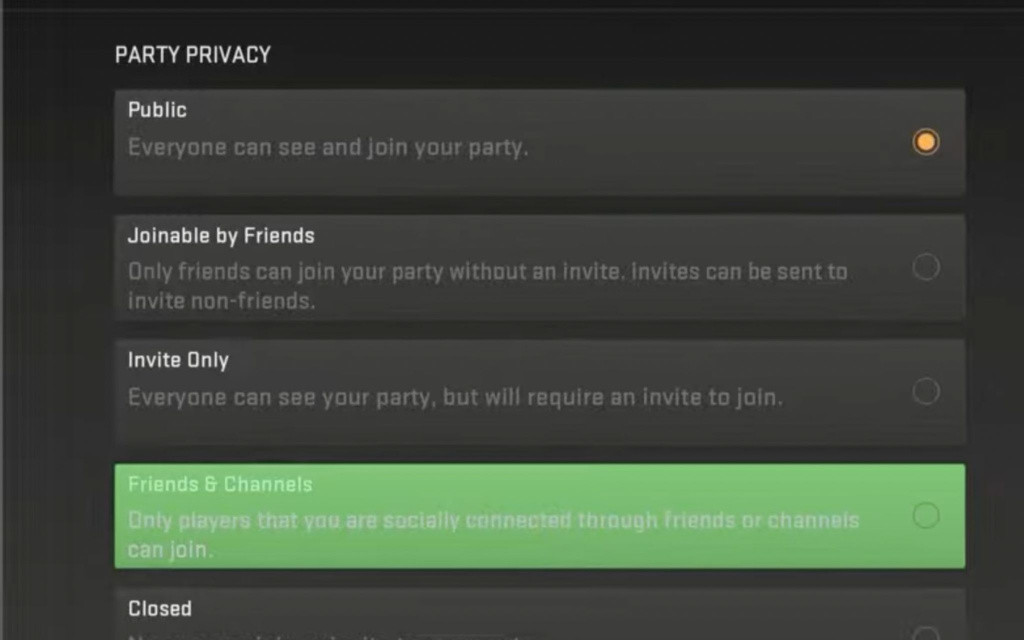
Once you have added your friends, it’s time to invite them for a match in Call of Duty Modern Warfare 2.

To invite your friends for a match, go to the hub section in the social section. From here, go to your party and click on the invite to player option. You can also change your party’s privacy from closed, friends & channels, invite-only, joinable by friends, and public.
- New Split Circle Working Explained – CoD Warzone 2
- Warzone 2’s Al Mazrah Is The Biggest COD Map – All Main Locations
- All Modern Warfare 2 Perks – Base, Bonus & Ultimate
That concludes our guide on how to add and invite friends in Call of Duty Modern Warfare 2.
For a more visual representation of this guide, we recommend checking Order Sense‘s Youtube video on the same.
For more on the game, check our section dedicated to Call of Duty news guides, and features.
Featured image courtesy of Activision.