The much-anticipated World of Warcraft expansion Dragonflight has finally arrived with new content for everyone. Dragonflight is the 9th major expansion for the game, and aside from adding new meaningful content, Blizzard has also introduced numerous new accessibility options to make the experience more user-friendly.
From updated UI to new FOV effects, there is a multitude of new additions to make WoW a better experience. With that said, let’s dive into all accessibility options & improvements in WoW Dragonflight.
All Accessibility Options in WoW Dragonflight
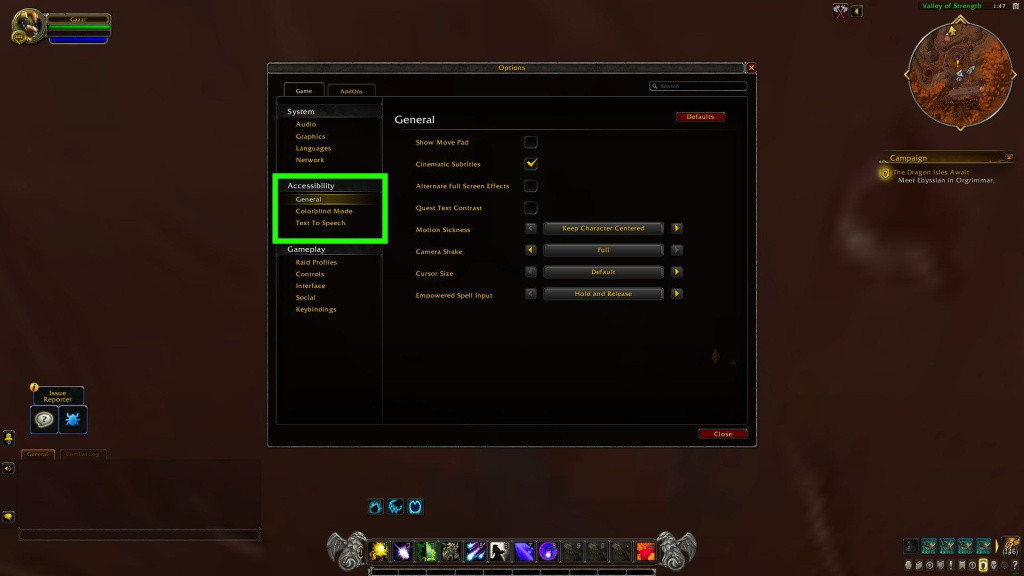
As mentioned previously, the Dragonflight expansion has made a ton of improvements to the game. This includes a new talent system, a new options menu, a new interaction key, and more.
Updated UI and HUD
With the new expansion, Blizzard has brought a clutter-free UI and HUD to World of Warcraft. There are several quality-of-life changes as well, including a new look for the loot and inventory display. Players can now also tweak every aspect of the HUD, thanks to the new Edit Mode.
For a more detailed explanation of the new UI and HUD, we recommend checking WoW’s official blog post.
New Options menu
The “Interface” and “Systems” menu has been dismantled into the new “Options” menu. According to Blizzard, this would allow players to find and enable various Accessibility features rather easily.
New Options: FOV & Hold Casting
Players can now adjust the camera FOV in WoW to prevent motion sickness. The FOV option can be found in the Graphics Setting of the game.
In Dragonflight, players can fly Dragons. The new Dragonriding feature has its FOV effects as well, which players can tweak in the General menu.
Spell casting has been part of WoW since the beginning, but the new addition makes it more seamless. Players can now press and hold a keyboard hotkey to continuously cast a spell instead of button-mashing the same. This attribute can be enabled in the Combat section of the Options menu.
New Interact Key
Instead of using the mouse to interact with the game’s NPCs, players can now use the new Interact Key to do the same. By default, the Interact Key on the keyboard is “F,” but players can change it in the Controls menu.
New Action Targeting System
The new Action Targeting System automatically target enemies when near, allowing players to seamlessly cast abilities after noticing them. Players can enable this in the Combat section of the Options Menu.
Adjustable Display Name size
To make the HUD cleaner, players can now adjust the size of the Display Name of characters and objects. This can be enabled in the General setting within the Accessibility menu.
Improved Gamepad support
Lastly, Blizzard has added additional API updates to improve controller, touchpad, and gyro support. Players can now also combine gamepad and mouse input in a single control scheme.
That’s all the accessibility options in WoW: Dragonflight.