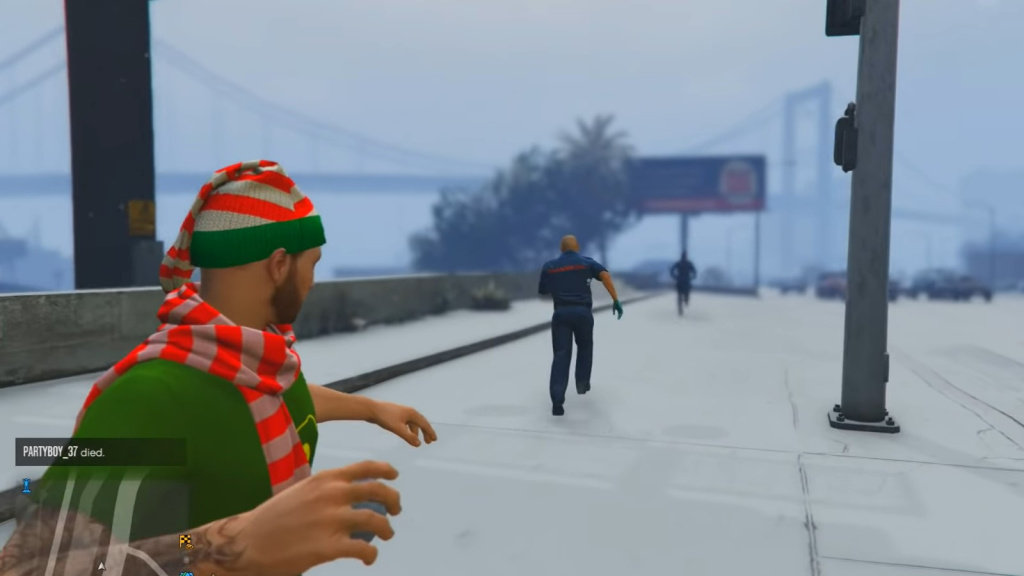
GTA Online’s Festive Surprise event has a lot of new items and quests in store for players this year, and one of the most exciting of them is the ability to make and throw snowballs at other players. So now is your chance if you’ve ever wanted to have a snowball fight in Grand Theft Auto! If you need some help getting started, here’s your guide to how to make and throw snowballs in GTA Online during the Festive Surprise event this holiday season.
How To Make Snowballs In GTA Online Festive Surprise
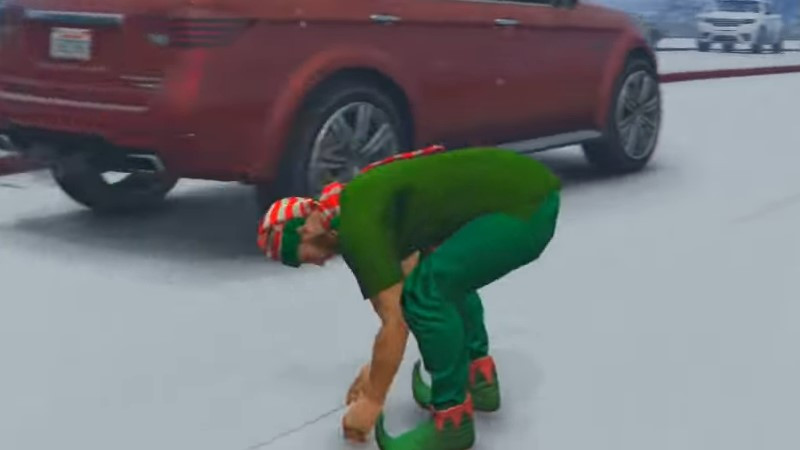
You probably guessed that you’d need some snow to make a snowball. Fortunately, doing this is relatively straightforward. To pick up some snow, you first need to put away all your weapons –you cannot be armed and pick up snow simultaneously. Then, when you’ve found snow (either on the ground or a snow-covered surface), press the following button on each platform to pick it up:
- PC: G key
- Playstation: Left on D-pad
- Xbox: Right on D-pad
Picking up some snow immediately turns it into a snowball in your hands; no extra steps or effort is required. Now that you have the snowball in your inventory, it works just like any other weapon in the game. You can select it from your weapon wheel and throw it at your target as a projectile. It’s worth noting that snowballs are single-use, meaning you’ll have to craft more if you run out.

It takes three hits to a pedestrian to kill them with snowballs or ten hits to an enemy player. In other words, they don’t do much damage in battle – but thankfully, you can store up to nine of them in your inventory at any given time, meaning you can stack the damage if you keep the snowball tosses coming.
Thankfully, making and throwing snowballs in GTA Online is pretty easy. We hope that this guide to how to do so has given you the knowledge you need to get started with the Festive Surprise event this year. Take advantage of all the fun new items and have epic snowball fights with friends!